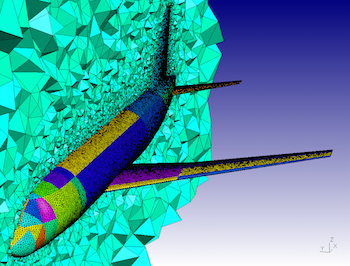

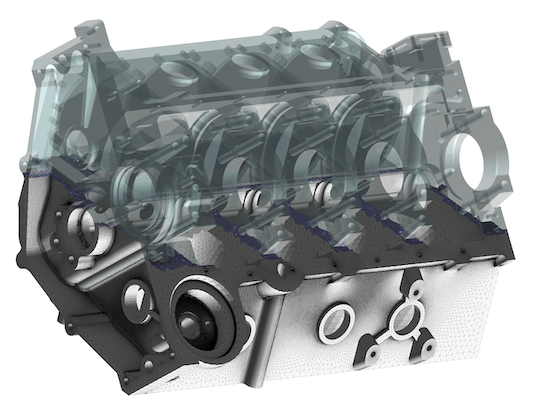
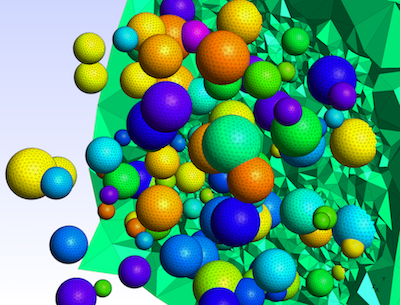
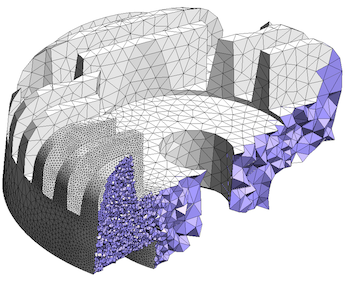
Gmsh is an open source 3D finite element mesh generator with a built-in CAD
engine and post-processor. Its design goal is to provide a fast, light and
user-friendly meshing tool with parametric input and flexible visualization
capabilities. Gmsh is built
around four modules
(geometry, mesh, solver and post-processing), which can be controlled with
the graphical user
interface, from
the command
line, using text files written in Gmsh's
own scripting
language (.geo files), or through the C++, C, Python, Julia and
Fortran application
programming interface.
See this general presentation for a high-level overview of Gmsh and the reference manual for the complete documentation, which includes the Gmsh tutorial. The source code repository contains the tutorial source files as well as many other examples.
Gmsh is distributed under the terms of the GNU General Public License (GPL):
pip install
            --upgrade gmsh
'
Make sure to read the tutorial and the FAQ before sending questions or bug reports.
git clone
          https://gitlab.onelab.info/gmsh/gmsh.git
'
pip install -i https://gmsh.info/python-packages-dev
        --force-reinstall --no-cache-dir gmsh
' (on Linux systems without
X windows, use python-packages-dev-nox instead of
python-packages-dev)
If you use Gmsh please cite the following reference in your work (books, articles, reports, etc.): C. Geuzaine and J.-F. Remacle. Gmsh: a three-dimensional finite element mesh generator with built-in pre- and post-processing facilities. International Journal for Numerical Methods in Engineering 79(11), pp. 1309-1331, 2009. You can also cite additional references for specific features and algorithms.
Please report all issues
on https://gitlab.onelab.info/gmsh/gmsh/issues.
Gmsh is copyright (C) 1997-2022 by C. Geuzaine and J.-F. Remacle (see the CREDITS file for more information) and is distributed under the terms of the GNU General Public License (GPL) (version 2 or later, with an exception to allow for easier linking with external libraries).
In short, this means that everyone is free to use Gmsh and to redistribute it on a free basis. Gmsh is not in the public domain; it is copyrighted and there are restrictions on its distribution (see the license and the related frequently asked questions). For example, you cannot integrate this version of Gmsh (in full or in parts) in any closed-source software you plan to distribute (commercially or not). If you want to integrate parts of Gmsh into a closed-source software, or want to sell a modified closed-source version of Gmsh, you will need to obtain a commercial license: please contact us for details.
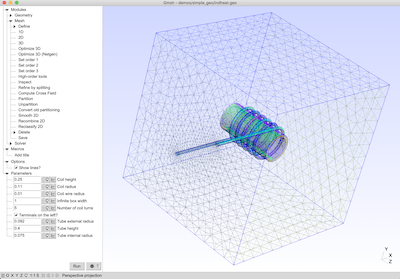
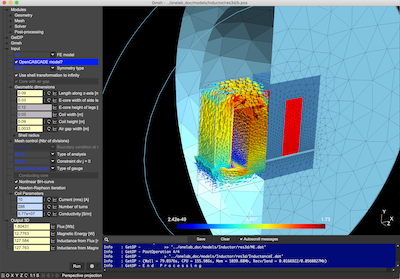
These are two screenshots of the Gmsh user interface, with either the light or dark user interface theme. See the ONELAB web site for more.
Enable automatic updates or check monthly. Version 8.x and higher have more robust driver handling than older 6.x versions.
Many online educators and content creators actively seek out legacy installations like ManyCam 4.1.2 or 4.1.0 on sites like FileHippo instead of grabbing the latest version.
Version 4.1.0 allowed users to seamlessly switch between different video sources. You could transition from your live webcam to a pre-recorded video file, a static image, or your desktop screen. This feature became a massive hit for early YouTube creators and online tutors who needed to show slides or software demonstrations without interrupting their live video feed. 2. Screencasting and Desktop Sharing
The ManyCam 410 is a powerful and versatile device that's designed to unlock endless creative possibilities for content creators, educators, and businesses. With its multi-camera support, HD video quality, and flexible audio mixing options, it's an ideal solution for live streaming, video production, and online communication. Whether you're a seasoned pro or just starting out, the ManyCam 410 is definitely worth considering. manycam 410
If you are running ManyCam 7.x and the server has moved to API v2, your older client may still request an endpoint that no longer exists. The server replies with “410 Gone” because that old activation URL is permanently removed.
Certain older enterprise video conferencing systems and vintage browser-based chat rooms struggle to recognize modern virtual webcam drivers. The DirectShow driver architecture bundled with ManyCam 4.1.0 offers near-universal compatibility with legacy video capture applications. How to Optimize ManyCam 4.1.0 Performance
: Prior to this era, recording options were incredibly limited. Version 4 brought native MP4 encoding, which became the industry standard. Enable automatic updates or check monthly
A core strength of ManyCam 4.1.0 is its ability to treat your webcam, pre-recorded videos, images, and desktop screen as different sources. You can seamlessly switch between these sources during a live broadcast, making it ideal for presentations and tutorials. 2. Virtual Backgrounds (Chroma Key)
: Users gained the ability to pull a live video feed directly from a YouTube URL without having to download the video first. ⚖️ Why Users Look for Older Versions vs. Modern ManyCam
A new feature allowed users to add web pages as video sources directly, making it easier to integrate live data or web-based widgets into a stream. Version 4
Do you need assistance finding that offer similar lightweight performance? Share public link
is a classic version of the popular live streaming and virtual webcam software ManyCam , famous for introducing major user interface updates, enhanced IP camera compatibility, and seamless video transitions. While the company has moved onto modern iterations like ManyCam 8, ManyCam 4.1.0 remains highly sought after by users running older hardware or those looking for a lightweight, resource-friendly video switcher. This comprehensive article covers everything you need to know about ManyCam 4.1.0, its foundational features, how it shapes modern streaming, and its place in today’s digital workflow. What is ManyCam 4.1.0?
Focused heavily on bringing IP camera support to the Apple ecosystem and ensuring better performance with dual-monitor setups. The Legacy of the 4.x Era
To run ManyCam 4.1.0 effectively, your system should meet these baseline requirements: : Windows 7, 8, or 10 (32-bit or 64-bit). Processor : Intel Core i3 or equivalent (minimum). Memory : 2GB RAM. Graphics : DirectX 9.0c compatible video card. A Note on Security
If the driver is truly “Gone,” you must wipe it out and start fresh.